Free language learning app
Immerse in foreign language content
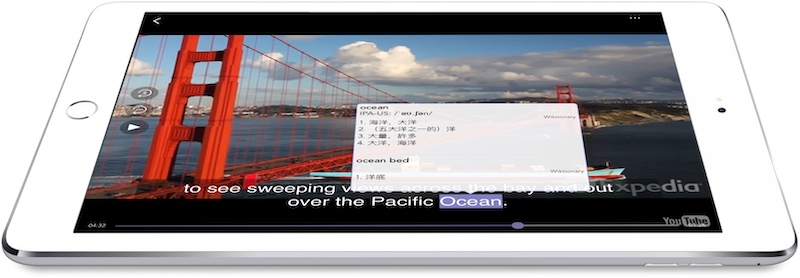
Watch authentic videos & shows. Tap any word for instant translations in your own language.

Free language learning app
Watch authentic videos & shows. Tap any word for instant translations in your own language.
Woodpecker is a state-of-the-art video player packed full of features designed to help you improve your foreign language skills. Practice commonly used vocabulary, tones and accents while watching a huge library of popular shows from all over the world.
Finally I can find lots of videos I want to watch and I have the tools to help me understand all of the dialogue— James Bell
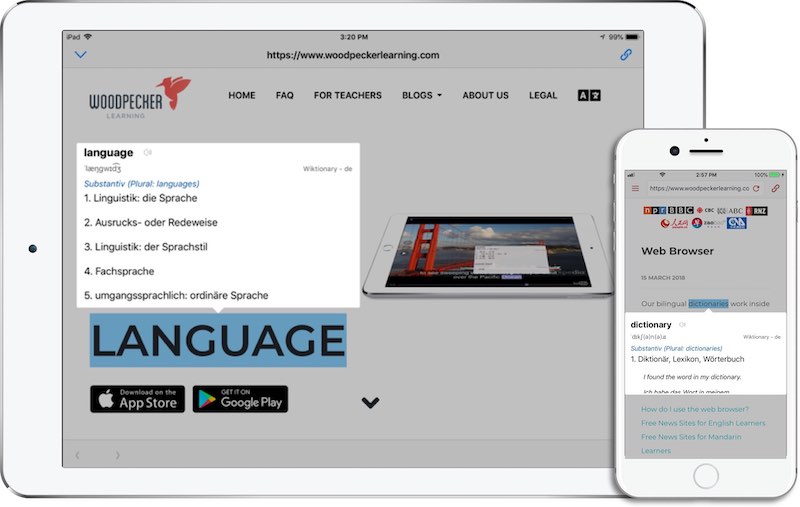
Use our awesome bilingual dictionaries to look up words and interact with video subtitles and web pages. Our dictionaries are free, work offline and have no ads!
Our comprehensive bilingual dictionaries give you the part of speech, pronunciation, sample sentences and much more.
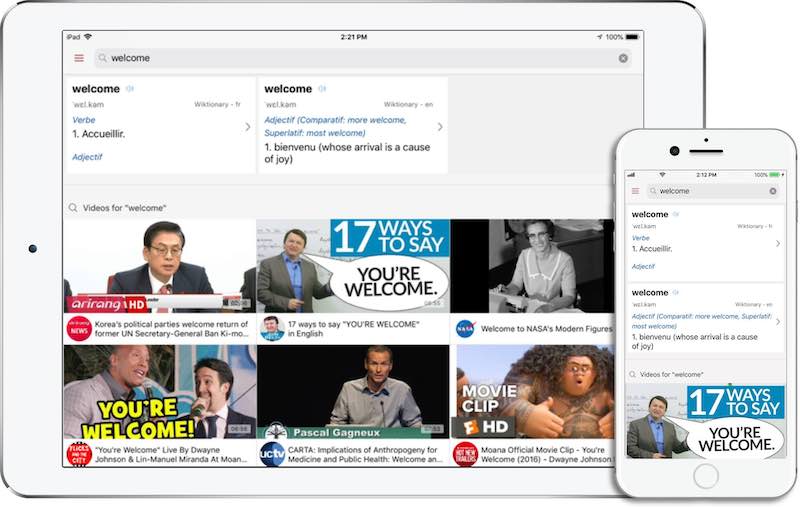
Learn vocabulary appropriate for different settings in videos designed for native speakers. Simply tap on any word you like to receive definitions in your own language.
Tap the "back one sentence" button as many times as you need to train your listening and pick up the tones and accents used by native speakers.
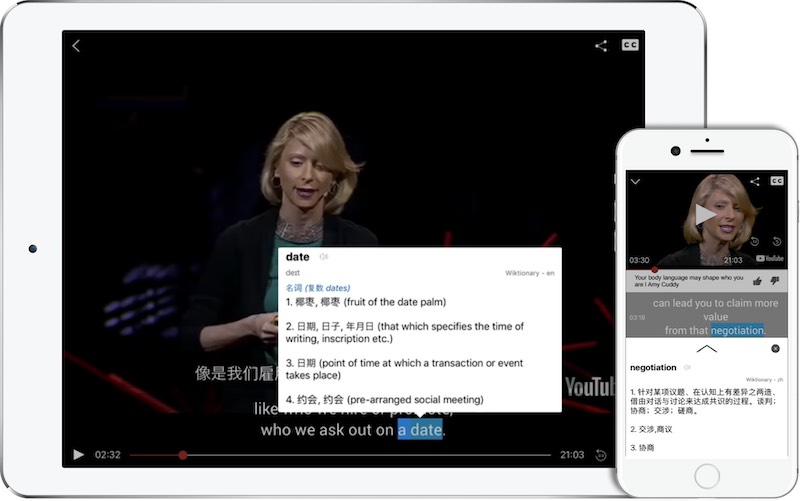
Our dictionaries work on websites as well as videos. Just touch on a word!
If you are a teacher, we can create a content code for you to send to your students. Your nominated learning materials will appear inside our web browser under your logo.
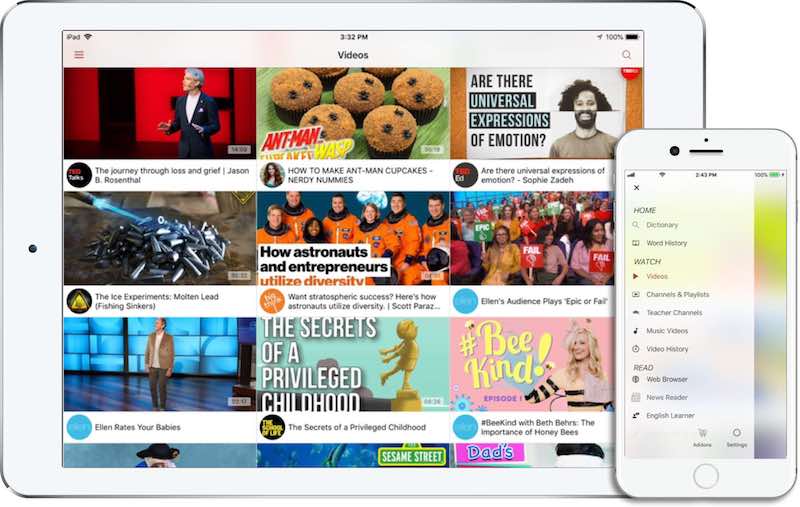
Learn English using some of the world's most popular shows, with over 450 channels and 100,000 videos from the likes of TheEllenShow, TED, The Comedy Channel and National Geographic.
Immerse in Spanish, French, Mandarin, German and Vietnamese language content with hundreds of channels and thousands of videos. Many videos also have a second subtitle stream in English.
Click to Translate helps advanced language learners immerse in content designed for native speakers. Our bilingual dictionaries let you instantly see the definition of any word in your own language — so you can keep reading or watching with only a brief interruption.
Click the button to toggle Click to Translate on or off at any time. Your browser remembers the setting.
Click or tap any word on a supported webpage or in the Woodpecker app to instantly see its definition.
Our dictionaries are built into the Woodpecker app — no internet connection required for lookups.
The bilingual dictionaries in Woodpecker are completely free to use and contain no advertisements.
We compile our dictionaries from creative commons projects — Wiktionary, Wikipedia and CC-CEDICT — giving you access to some of the most comprehensive bilingual dictionaries available. We provide definitions of words, phrases and idioms — not whole-sentence machine translation — so accuracy stays high. Every definition links back to its source so you can verify or explore further.
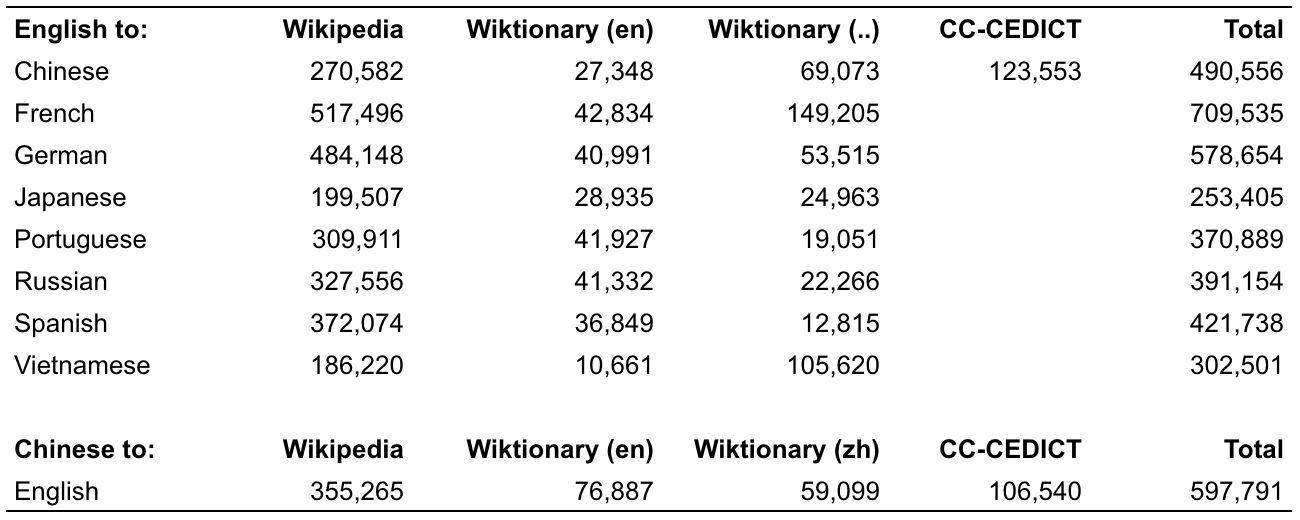
English definitions available in:
Chinese definitions available in:
We also have a monolingual English dictionary. More languages are added as sufficient creative commons sources become available.
Are you a website owner or developer? Install our bilingual dictionaries on your site or app so your users can look up words without leaving the page.
We support these native languages for learning English:
Chinese
French
German
Portuguese
Japanese
Spanish
Vietnamese
Russian
We support English speakers learning these languages:
Chinese
Spanish
French
Vietnamese
German
Free to download and use, with thousands of videos to learn from. No subscription required.